
TL;DR
Hospitals face seven main attacks: phishing, ransomware, data breaches, DDoS, insider misuse, unsafe medical devices, and vendor weaknesses. Most start with a human mistake or a weak password. Multi-factor authentication, tested backups, staff training, and strong vendor checks stop most of them. HIPAA also requires a regular risk review.
A single stolen password can freeze a hospital. In 2024, one attack on a billing company slowed payments across the United States. So what does healthcare cybersecurity news today tell us? Hackers keep using the same seven attacks: phishing, ransomware, data breaches, DDoS, insider misuse, weak devices, and vendor flaws. Healthcare cybersecurity means protecting patient data, medical devices, and hospital systems from digital attacks. Below, you’ll learn how each attack works and how to stop it.
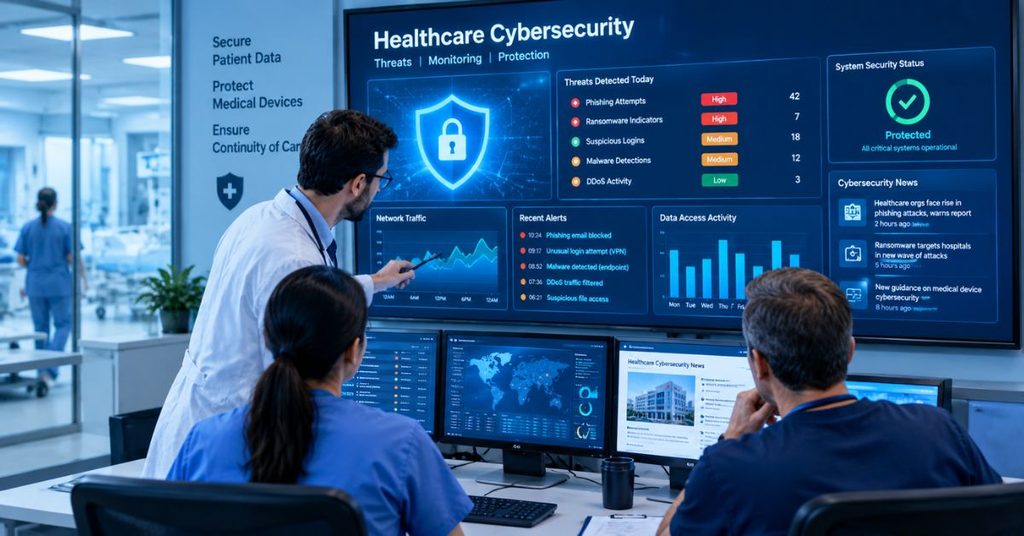
A Healthcare Sector Resilient to Cyber Threats
A resilient healthcare organization can take a hit and keep treating patients. It doesn’t mean attackers never get in. Instead, it means the hospital limits the damage, recovers fast, and keeps care going.
That goal matters more in healthcare than in most fields. A retailer that loses its website loses sales. A hospital that loses its systems may delay surgeries or divert ambulances.
Why do hackers target hospitals?
Hackers go where the money and pressure are. Hospitals offer both.
- Patient records are valuable. They hold names, birth dates, insurance details, and medical history. Unlike a credit card, you can’t cancel a diagnosis.
- Downtime is dangerous. Leaders feel pressure to restore systems quickly. Attackers know this and expect fast payment.
- The technology is mixed. Many hospitals run new software alongside old machines never built for the internet.
- Many outside parties connect in. Labs, billing firms, and software vendors all touch patient data.
As a result, healthcare organizations have more weak spots than most industries. Understanding those weak spots is the first step toward closing them.
What Are the Top Cybersecurity Threats to Healthcare Now?
The top cyber threats in healthcare are phishing, ransomware, data breaches, DDoS attacks, insider misuse, unsafe medical devices, and third-party weaknesses. They often work together. For example, a phishing email can lead to stolen data, and then to ransomware.
Here’s a quick view before we go deeper:
| Attack | How it usually starts | Best first defense |
| Phishing | A fake email, text, or call | Multi-factor authentication |
| Ransomware | Stolen login or bad attachment | Offline, tested backups |
| Data breach | Weak access controls or stolen logins | Encryption and least-privilege access |
| DDoS | Flood of fake traffic | Traffic filtering service |
| Insider threat | Staff misuse or mistakes | Access limits and audit logs |
| Medical device flaw | Old software, default passwords | Network separation |
| Third-party attack | A vendor’s weak security | Vendor risk reviews |
1. Phishing
What is phishing in healthcare? Phishing is a fake message that tricks someone into sharing a password or opening a harmful file. The message might look like it came from IT, payroll, or a trusted vendor.
It works because healthcare workers are busy. A nurse in the middle of a shift may click a “password expired” email without thinking twice. That one click can hand an attacker a real login.
There are a few common types:
- Spear phishing targets one person, such as a billing manager, with details that look real.
- Smishing uses text messages.
- Vishing uses phone calls. For example, a caller may pretend to be a doctor and ask the help desk to reset a password.
How can you prevent phishing?
- Turn on multi-factor authentication (MFA). Even if a password is stolen, the attacker still needs a second proof. Security keys are stronger than text codes.
- Train staff with short, regular lessons. Fake test emails help people practice spotting tricks.
- Add a simple “report this email” button. Quick reports let IT block a threat before others click.
- Verify password reset requests. Help desks should confirm identity through a second channel.
2. Ransomware Attacks
What is ransomware? Ransomware is harmful software that locks files and demands payment to unlock them. Many groups now use double extortion. They steal the data first, then threaten to leak it if the victim won’t pay.
The effects can reach patients directly. In 2024, the Change Healthcare attack disrupted claims and payments across the country. Later that year, Ascension reported a ransomware event that pushed hospitals to use paper records. Reports at the time also described ambulances being sent elsewhere.
The Change Healthcare case also shows how simple the entry point can be. Company leaders told Congress that attackers used stolen credentials on a system without MFA. One missing safeguard opened a very large door.
How can hospitals prevent ransomware damage?
- Keep backups offline. Attackers often delete backups they can reach. Copies kept offline or locked against changes survive.
- Test restores. A backup you’ve never restored is only a hope.
- Patch quickly. Attackers love known flaws that nobody fixed.
- Split the network into zones. Then one infected computer can’t reach everything.
- Write a downtime plan. Staff should know how to run on paper if screens go dark.
Federal agencies generally advise against paying ransoms. Payment doesn’t guarantee your data comes back, and it encourages more attacks.
3. Data Breaches
What is a healthcare data breach? A healthcare data breach happens when someone without permission sees, takes, or shares protected health information (PHI). Hacking is one cause. Lost laptops, misconfigured cloud storage, and misdirected emails are others.
Why do thieves want this data? Medical records often sell for more than payment card data. The reason is that they hold lasting details, which criminals can use for insurance fraud or identity theft. A breach at Anthem in 2015 exposed records of tens of millions of people and remains one of the largest in the sector.
Under the HIPAA Breach Notification Rule, covered organizations must notify affected people without unreasonable delay. That deadline is no later than 60 days after discovery. Breaches affecting 500 or more people also go to HHS and the media.
How can you prevent data breaches?
- Encrypt data on laptops, phones, servers, and backups.
- Use least-privilege access. Each person sees only what their job needs.
- Log and review access. Unusual patterns, like a clerk opening hundreds of charts, should raise an alert.
- Check cloud settings often. One wrong setting can expose a whole database.
- Keep less data. Records you’ve deleted can’t be stolen.
4. DDoS Attacks
What is a DDoS attack? A distributed denial-of-service attack floods a website or system with fake traffic until it can’t respond. Think of a thousand people crowding a clinic door so real patients can’t get in.
The traffic comes from many hacked devices, so blocking one source doesn’t help. Patient portals, appointment tools, and email are common targets. Some attacks last only minutes, yet they still frustrate patients and staff.
Sometimes a DDoS attack is also a distraction. While IT teams fight the flood, attackers may try something quieter elsewhere.
How can you prevent DDoS problems?
- Use a traffic filtering service. Many internet providers and cloud firms offer it.
- Set rate limits so one source can’t send endless requests.
- Build backup paths for critical systems, like a second internet connection.
- Prepare a call list. Know exactly who to contact at your provider when traffic spikes.
5. Insider Threats
What is an insider threat? An insider threat comes from someone who already has legitimate access. Most cases are honest mistakes, like sending a patient file to the wrong email address. Some are deliberate, such as snooping in a celebrity’s chart or selling records.
This risk is hard to see because the person looks like a normal user. Firewalls don’t help much here.
How can you reduce insider risk?
- Match access to job roles. A front desk worker shouldn’t open surgical notes.
- Review audit logs on a schedule, not just after a problem.
- Remove access on the last day of employment. Delays leave open doors.
- Set clear rules and consequences, and explain them during onboarding.
6. Unsafe Medical Devices
Why are medical devices a cyber risk? Infusion pumps, patient monitors, and imaging machines are now connected to networks. Many run old software and use default passwords. Updating them isn’t always easy, since a device may need vendor approval or time out of service.
An attacker may not want the device itself. Instead, they use it as an entry point into the larger network. In rare cases, a flaw could affect device operation, which is why regulators take this seriously. The FDA now asks makers of new connected devices to include cybersecurity information with their submissions.
How can you protect connected devices?
- Build a full device inventory. You can’t protect what you don’t know exists.
- Change default passwords right away.
- Place devices on their own network segment so a hacked monitor can’t reach patient records.
- Ask vendors about patch plans before buying.
- Retire unsupported devices when risk outweighs value.
7. Third-Party and Supply Chain Attacks
What is a third-party attack? A third-party attack happens when hackers go after a vendor to reach the vendor’s customers. Hospitals depend on billing firms, cloud providers, transcription services, and software makers. If one of them has weak security, every client can feel it.
Change Healthcare is again the clearest example. Because so many providers relied on it, a single attack spread problems across the system. The hospitals themselves weren’t hacked directly.
A strong defense starts with asking vendors hard questions before signing, then asking again every year. The HIPAA section below explains how.
How Healthcare Organizations Can Improve Their Security Posture
What is security posture? Security posture is the overall strength of your defenses and your ability to respond when something goes wrong. It covers your tools, your people, and your plans.
Here’s a practical order to work in, whether you run a small clinic or a large hospital system:
- List your assets. Write down every computer, device, app, and data store.
- Run a risk analysis. HIPAA requires one, and it shows where to spend first.
- Turn on MFA everywhere, starting with email, remote access, and admin accounts.
- Patch on a schedule, with the riskiest flaws fixed first.
- Back up and test. Keep one copy offline.
- Train people regularly. Short and frequent beats long and rare.
- Write and practice an incident response plan. Include who calls whom, and how care continues on paper.
- Monitor continuously so you spot strange activity early.
Small practices can’t buy every tool, and that’s fine. For them, MFA, backups, updates, and a trusted managed security provider cover a lot of ground. Larger systems should add round-the-clock monitoring and regular practice drills.
Two free frameworks can guide you. The HHS 405(d) program publishes Health Industry Cybersecurity Practices written for healthcare. The NIST Cybersecurity Framework 2.0 gives a broader map you can scale up or down.
HIPAA and Third-Party Risk Management: A Practical Guide For Healthcare Organizations
What does HIPAA require for cybersecurity? The HIPAA Security Rule requires covered entities and their business associates to protect electronic patient information. It sets administrative, physical, and technical safeguards. The core requirement is a regular, written risk analysis.
A business associate is any vendor that handles PHI for you. Examples include a billing company, a cloud host, or a shredding service. You must have a signed Business Associate Agreement (BAA) with each one.
A BAA is only paperwork, though. Real protection comes from checking what vendors actually do. Here’s a simple process:
- List every vendor that touches patient data.
- Rank them by risk. A vendor holding full records ranks above one that only sees appointment times.
- Sign a BAA with each business associate.
- Ask for proof of security. Common proof includes a SOC 2 report or HITRUST certification.
- Set a breach notice deadline in the contract, so you hear fast.
- Limit vendor access to only what’s needed, and require MFA.
- Review yearly, and update the list when vendors change.
- Plan the exit. Decide how data gets returned or destroyed when a contract ends.
HHS proposed updates to the Security Rule in January 2025 that would make several safeguards, like MFA and encryption, more clearly required. Rules can change, so check HHS.gov for the current status before you plan.
Conclusion
Healthcare cybersecurity news today can feel like a stream of bad headlines. However, the seven attacks above follow clear patterns, and each has a practical fix. Start with MFA, tested backups, regular training, and honest vendor reviews. Those four steps alone would have blocked or softened many recent incidents.
Don’t wait for a crisis to start. Pick one item from the posture checklist and finish it this week. Then bookmark the Techprixo cybersecurity section for updates, and share this guide with your IT and compliance teams.
Disclaimer
This article is for informational purposes only and is not a substitute for professional cybersecurity advice.
FAQ
Phishing is one of the most common starting points, while ransomware often causes the most damage. Phishing tricks staff into sharing passwords or opening bad files. Attackers then use that access to steal data or lock systems because it targets people instead of machines; training and multi-factor authentication matter most.
Hospitals hold valuable patient records and can’t afford long downtime. Lives depend on working systems, so attackers expect fast payment. Many also run older devices and rely on many outside vendors, which creates more weak spots. As a result, hospitals look like attractive and often easier targets than other industries.
First, isolate infected systems from the network to stop the spread. Next, activate the incident response plan and switch to paper downtime procedures. Then contact law enforcement such as the FBI, notify your cyber insurer, and bring in forensic experts. Finally, follow HIPAA breach notification rules if patient data was exposed.
Yes. The HIPAA Security Rule requires covered entities and business associates to protect electronic patient information. That includes risk analysis, access controls, audit logs, and staff training. Encryption is treated as an addressable safeguard. HHS has also proposed stricter rules, so organizations should check HHS.gov for the latest requirements.
Good sources include the HHS Office for Civil Rights breach portal, CISA alerts, and Health-ISAC updates. Trade outlets like HIPAA Journal, Fierce Healthcare, and Healthcare Dive also cover new incidents daily. Check these sources often because attack details and breach counts change as investigations continue.